本文档详细介绍如何使用 Docker 部署 SeaTunnel 2.3.11,并配置 Kafka 虚拟表、数据源以及 Kafka 同步到 Hive 和 Elasticsearch 的完整实战案例。
目录结构
seatunnel-docker/├── docker-compose.yml ├── hive/ │ ├── hive-site.xml│ └── lib/ │ └── postgresql-42.5.1.jar├── init-sql/ │ └── seatunnel_server_mysql.sql├── seatunnel/ │ ├── Dockerfile│ └── apache-seatunnel-2.3.11/ │ └── lib/ │ ├── hive-exec-3.1.3.jar│ ├── hive-metastore-3.1.3.jar│ ├── libfb303-0.9.3.jar│ ├── mysql-connector-java-8.0.28.jar│ └── seatunnel-hadoop3-3.1.4-uber.jar└── seatunnel-web/ ├── Dockerfile └── apache-seatunnel-web-1.0.3-bin/ └── libs/ └── mysql-connector-java-8.0.28.jar
下载 seatunnel
https://dlcdn.apache.org/seatunnel/2.3.11/apache-seatunnel-2.3.11-bin.tar.gzgit clone https://github.com/apache/seatunnel-web.gitcd seatunnel-websh build.sh code
下载依赖包
-metastore容器需要(PostgreSQL为Hive 元数据库)https://jdbc.postgresql.org/download/postgresql-42.5.1.jar-metastore同步报错缺少依赖包(实际验证加前3个包即可)https://repo1.maven.org/maven2/org/apache/hive/hive-exec/3.1.3/hive-exec-3.1.3.jarhttps://repo1.maven.org/maven2/org/apache/hive/hive-metastore/3.1.3/hive-metastore-3.1.3.jarhttps://repo.maven.apache.org/maven2/org/apache/thrift/libfb303/0.9.3/libfb303-0.9.3.jarhttps://repo1.maven.org/maven2/org/apache/thrift/libthrift/0.12.0/libthrift-0.12.0.jarhttps://repo1.maven.org/maven2/org/apache/hive/hive-common/3.1.3/hive-common-3.1.3.jar
创建项目目录
将准备好的相关文件存放 seatunnel-docker 目录
mkdir seatunnel-dockercd seatunnel-docker
docker-compose.yml 配置
version: '3.9'networks: seatunnel-network: driver: bridge ipam: config: - subnet: 172.16.0.0/24services: hive-metastore-db: image: postgres:15 container_name: hive-metastore-db hostname: hive-metastore-db environment: POSTGRES_DB: metastore_db POSTGRES_USER: hive POSTGRES_PASSWORD: hive123456 ports: - "5432:5432" volumes: - ./hive-metastore-db-data:/var/lib/postgresql/data networks: seatunnel-network: ipv4_address: 172.16.0.2 healthcheck: test: ["CMD-SHELL", "pg_isready -U hive -d metastore_db"] interval: 5s timeout: 5s retries: 10 start_period: 10s hive-metastore: image: apache/hive:4.0.0 container_name: hive-metastore hostname: hive-metastore depends_on: hive-metastore-db: condition: service_healthy environment: SERVICE_NAME: metastore DB_DRIVER: postgres SERVICE_OPTS: >- -Djavax.jdo.option.ConnectionDriverName=org.postgresql.Driver -Djavax.jdo.option.ConnectionURL=jdbc:postgresql://hive-metastore-db:5432/metastore_db -Djavax.jdo.option.ConnectionUserName=hive -Djavax.jdo.option.ConnectionPassword=hive123456 ports: - "9083:9083" volumes: - ./hive/lib/postgresql-42.5.1.jar:/opt/hive/lib/postgresql-42.5.1.jar - ./hive/hive-site.xml:/opt/hive/conf/hive-site.xml - ./hive-warehouse:/opt/hive/data/warehouse networks: seatunnel-network: ipv4_address: 172.16.0.3 hive-server2: image: apache/hive:4.0.0 container_name: hive-server2 hostname: hive-server2 depends_on: - hive-metastore environment: HIVE_SERVER2_THRIFT_PORT: 10000 SERVICE_NAME: hiveserver2 IS_RESUME: "true" SERVICE_OPTS: "-Dhive.metastore.uris=thrift://hive-metastore:9083" ports: - "10000:10000" - "10002:10002" volumes: - ./hive-warehouse:/opt/hive/data/warehouse networks: seatunnel-network: ipv4_address: 172.16.0.4 mysql-seatunnel: image: mysql:8.0.42 container_name: mysql-seatunnel hostname: mysql-seatunnel environment: MYSQL_ROOT_PASSWORD: root123456 MYSQL_DATABASE: seatunnel MYSQL_ROOT_HOST: '%' ports: - "3806:3306" volumes: - ./mysql_data:/var/lib/mysql - ./init-sql:/docker-entrypoint-initdb.d networks: seatunnel-network: ipv4_address: 172.16.0.5 command: --default-authentication-plugin=mysql_native_password healthcheck: test: [ "CMD", "mysqladmin", "ping", "-h", "localhost" ] interval: 10s timeout: 5s retries: 5 seatunnel-master: build: context: ./seatunnel dockerfile: Dockerfile image: seatunnel:2.3.11 container_name: seatunnel-master hostname: seatunnel-master extra_hosts: - "hive-metastore:172.16.0.3" - "hive-metastore-db:172.16.0.2" environment: - SEATUNNEL_HOME=/opt/seatunnel command: > sh -c " cd /opt/seatunnel && exec bin/seatunnel-cluster.sh -r master " ports: - "5801:5801" volumes: - ./seatunnel/apache-seatunnel-2.3.11/:/opt/seatunnel/ - ./logs/master:/opt/seatunnel/logs - ./hive-warehouse:/opt/hive/data/warehouse networks: seatunnel-network: ipv4_address: 172.16.0.10 seatunnel-worker1: image: seatunnel:2.3.11 container_name: seatunnel-worker1 hostname: seatunnel-worker1 extra_hosts: - "hive-metastore:172.16.0.3" - "hive-metastore-db:172.16.0.2" environment: - SEATUNNEL_HOME=/opt/seatunnel command: > sh -c " cd /opt/seatunnel && exec bin/seatunnel-cluster.sh -r worker " volumes: - ./seatunnel/apache-seatunnel-2.3.11/:/opt/seatunnel/ - ./logs/worker1:/opt/seatunnel/logs - ./hive-warehouse:/opt/hive/data/warehouse depends_on: - seatunnel-master networks: seatunnel-network: ipv4_address: 172.16.0.11 seatunnel-worker2: image: seatunnel:2.3.11 container_name: seatunnel-worker2 hostname: seatunnel-worker2 extra_hosts: - "hive-metastore:172.16.0.3" - "hive-metastore-db:172.16.0.2" environment: - SEATUNNEL_HOME=/opt/seatunnel command: > sh -c " cd /opt/seatunnel && exec bin/seatunnel-cluster.sh -r worker " volumes: - ./seatunnel/apache-seatunnel-2.3.11/:/opt/seatunnel/ - ./logs/worker2:/opt/seatunnel/logs - ./hive-warehouse:/opt/hive/data/warehouse depends_on: - seatunnel-master networks: seatunnel-network: ipv4_address: 172.16.0.12 seatunnel-web: build: context: ./seatunnel-web dockerfile: Dockerfile image: seatunnel-web:1.0.3 container_name: seatunnel-web hostname: seatunnel-web extra_hosts: - "hive-metastore:172.16.0.3" - "hive-metastore-db:172.16.0.2" environment: - SEATUNNEL_HOME=/opt/seatunnel - SEATUNNEL_WEB_HOME=/opt/seatunnel-web ports: - "8801:8801" volumes: - ./seatunnel/apache-seatunnel-2.3.11/:/opt/seatunnel/ - ./seatunnel-web/apache-seatunnel-web-1.0.3-bin/:/opt/seatunnel-web/ - ./logs/web:/opt/seatunnel-web/logs - ./hive-warehouse:/opt/hive/data/warehouse depends_on: - seatunnel-master networks: seatunnel-network: ipv4_address: 172.16.0.13
SeaTunnel 配置
Dockerfile
FROM eclipse-temurin:8-jdk-ubi9-minimalWORKDIR /opt/seatunnel/ENV SEATUNNEL_HOME=/opt/seatunnelENV PATH=$PATH:$SEATUNNEL_HOME/binEXPOSE 5801CMD ["sh", "bin/seatunnel-cluster.sh", "-r", "master"]
hazelcast-client.yaml 客户端配置
编辑 seatunnel/apache-seatunnel-2.3.11/config/hazelcast-client.yaml:
hazelcast-client: cluster-name: seatunnel properties: hazelcast.logging.type: log4j2 connection-strategy: connection-retry: cluster-connect-timeout-millis: 3000 network: cluster-members: - seatunnel-master:5801
hazelcast-master.yaml 配置
编辑 seatunnel/apache-seatunnel-2.3.11/config/hazelcast-master.yaml:
hazelcast: cluster-name: seatunnel network: rest-api: enabled: false endpoint-groups: CLUSTER_WRITE: enabled: true DATA: enabled: true join: tcp-ip: enabled: true member-list: - seatunnel-master:5801 - seatunnel-worker1:5802 - seatunnel-worker2:5802 port: auto-increment: false port: 5801 properties: hazelcast.invocation.max.retry.count: 20 hazelcast.tcp.join.port.try.count: 30 hazelcast.logging.type: log4j2 hazelcast.operation.generic.thread.count: 50 hazelcast.heartbeat.failuredetector.type: phi-accrual hazelcast.heartbeat.interval.seconds: 2 hazelcast.max.no.heartbeat.seconds: 180 hazelcast.heartbeat.phiaccrual.failuredetector.threshold: 10 hazelcast.heartbeat.phiaccrual.failuredetector.sample.size: 200 hazelcast.heartbeat.phiaccrual.failuredetector.min.std.dev.millis: 100
hazelcast-worker.yaml 配置
编辑 seatunnel/apache-seatunnel-2.3.11/config/hazelcast-worker.yaml:
hazelcast: cluster-name: seatunnel network: join: tcp-ip: enabled: true member-list: - seatunnel-master:5801 - seatunnel-worker1:5802 - seatunnel-worker2:5802 port: auto-increment: false port: 5802 properties: hazelcast.invocation.max.retry.count: 20 hazelcast.tcp.join.port.try.count: 30 hazelcast.logging.type: log4j2 hazelcast.operation.generic.thread.count: 50 hazelcast.heartbeat.failuredetector.type: phi-accrual hazelcast.heartbeat.interval.seconds: 2 hazelcast.max.no.heartbeat.seconds: 180 hazelcast.heartbeat.phiaccrual.failuredetector.threshold: 10 hazelcast.heartbeat.phiaccrual.failuredetector.sample.size: 200 hazelcast.heartbeat.phiaccrual.failuredetector.min.std.dev.millis: 100
安装连接器依赖包
配置同步任务,点击 Source 组件,源名称下拉框没有数据,需要安装依赖才可以显示。
cd seatunnel/apache-seatunnel-2.3.11/ sh bin/install-plugin.sh
Hive 配置
hive-site.xml 配置
<?xml version="1.0" encoding="UTF-8"?><configuration> <property> <name>hive.metastore.uris</name> <value>thrift://hive-metastore:9083</value> </property> <property> <name>hive.metastore.warehouse.dir</name> <value>/opt/hive/data/warehouse</value> </property> <property> <name>metastore.metastore.event.db.notification.api.auth</name> <value>false</value> </property></configuration>
lib 目录 依赖包
Mysql 配置
init-sql 目录 初始 SQL 脚本
拷贝 seatunnel-web/apache-seatunnel-web-1.0.3-bin/script/seatunnel_server_mysql.sql 到
init-sql/seatunnel_server_mysql.sql
cd seatunnel-docker cp seatunnel-web/apache-seatunnel-web-1.0.3-bin/script/seatunnel_server_mysql.sql init-sql/seatunnel_server_mysql.sql
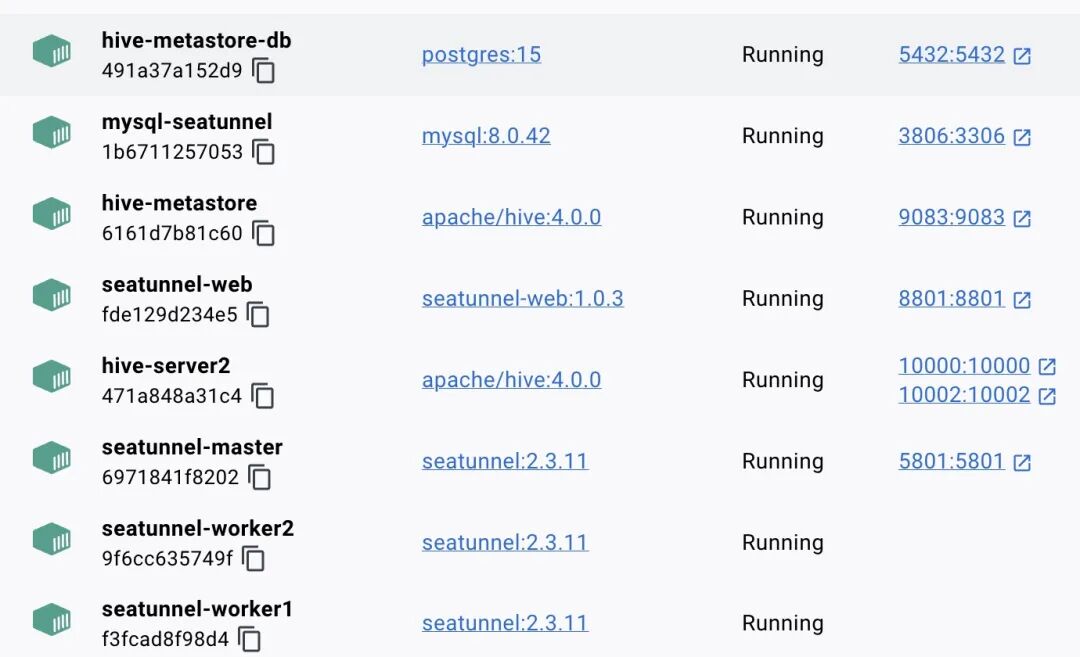
docker 启动
docker compose up -d --buildopen http://localhost:8801
登录配置语言
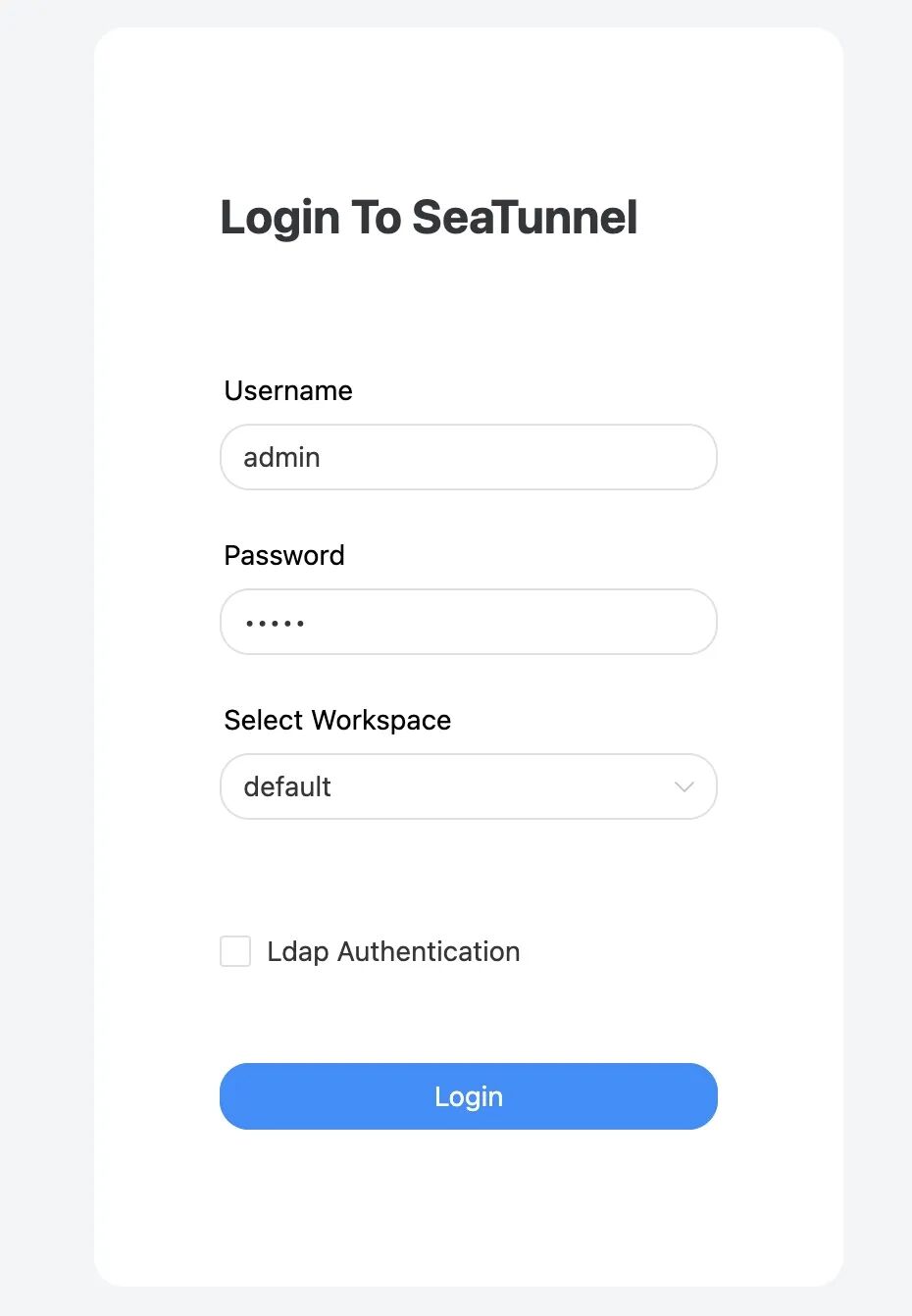
登录页面
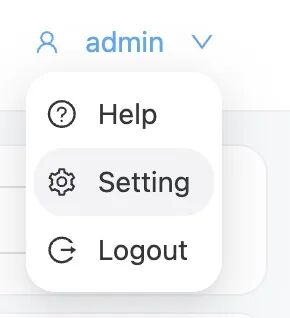
设置
配置语言
配置数据源
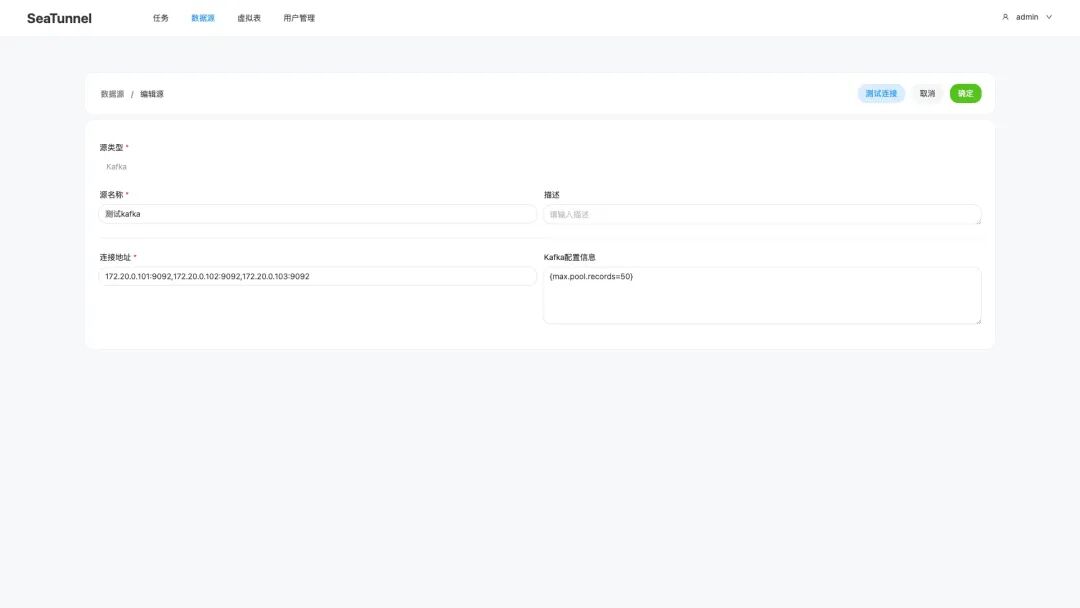
kafka 数据源
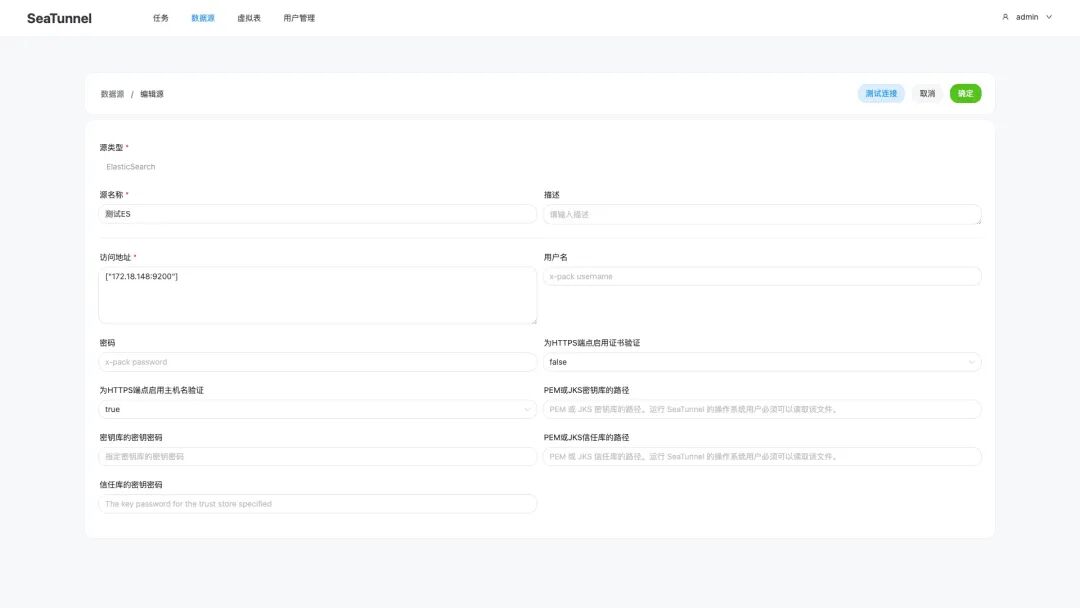
ES 数据源
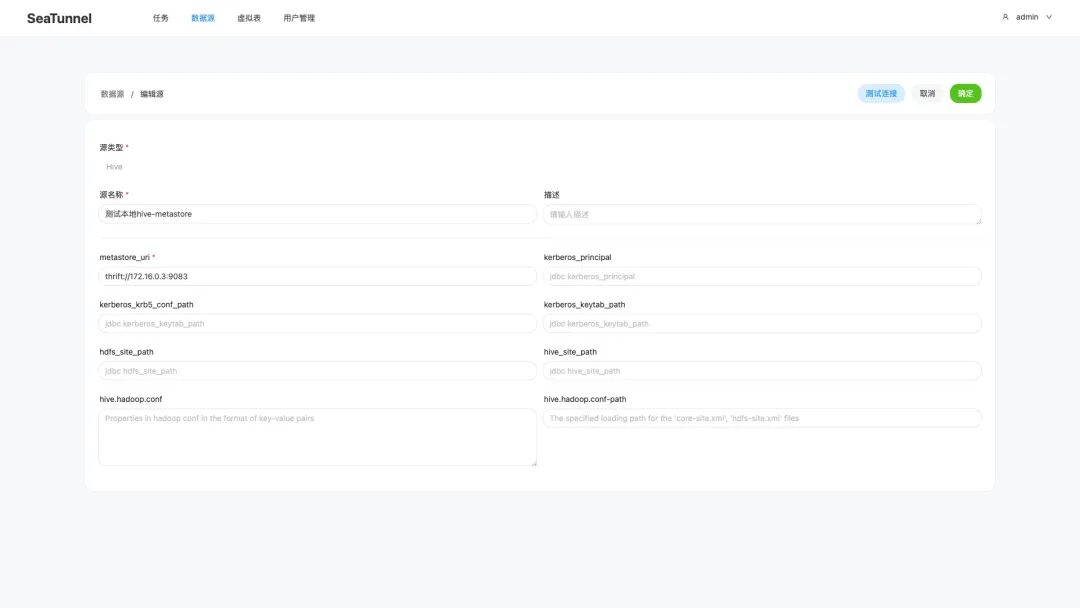
Hive-metastore 本地数据源
配置为 thrift://hive-metastore:9083 也可以。
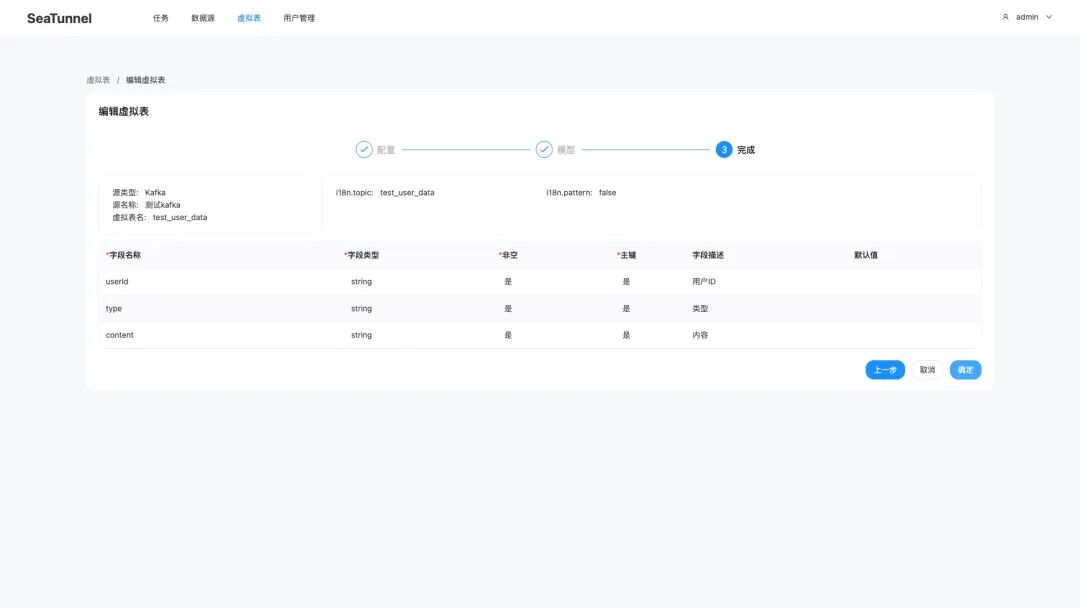
配置虚拟表
虚拟表列表
创建虚拟表流程
配置同步任务
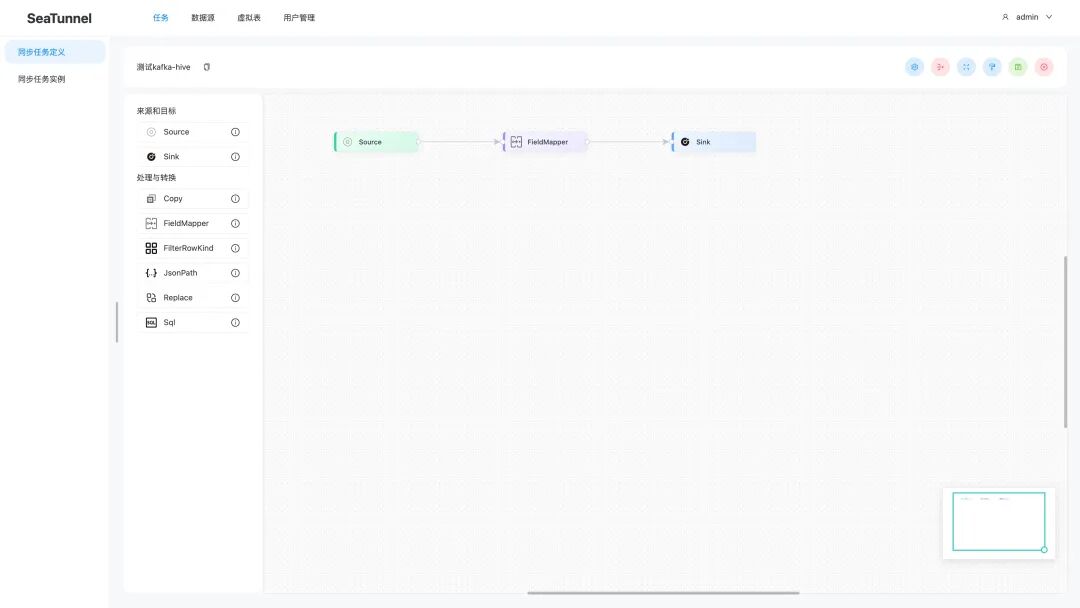
kafka-hive 同步任务
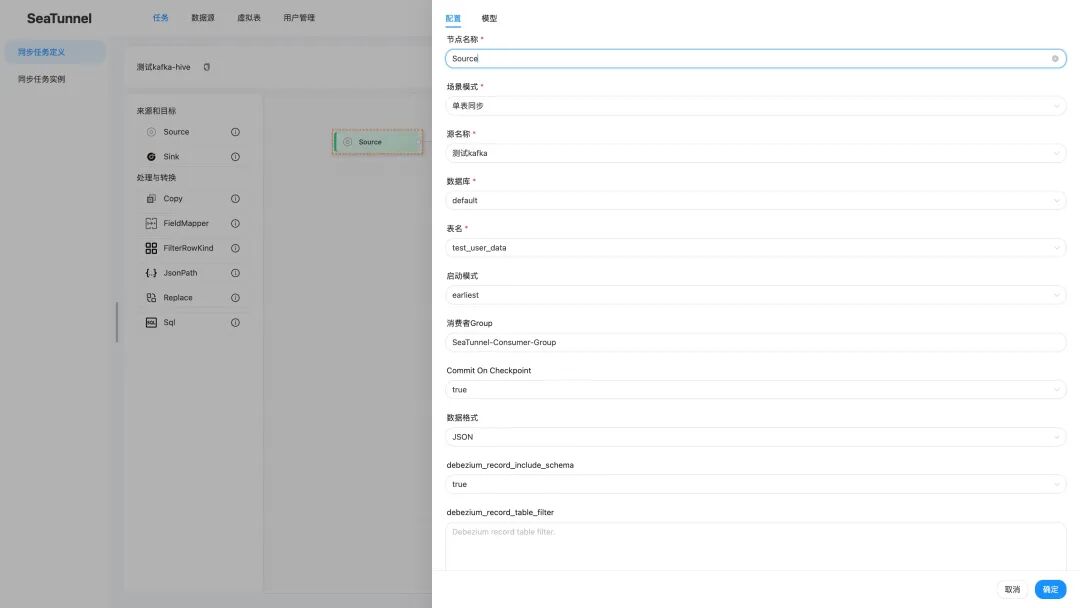
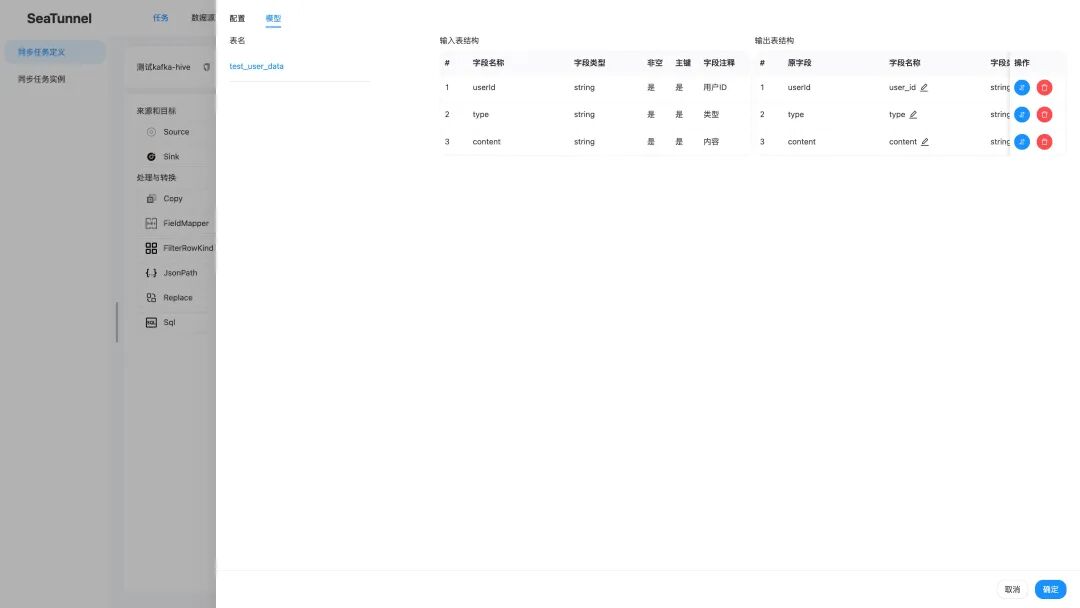
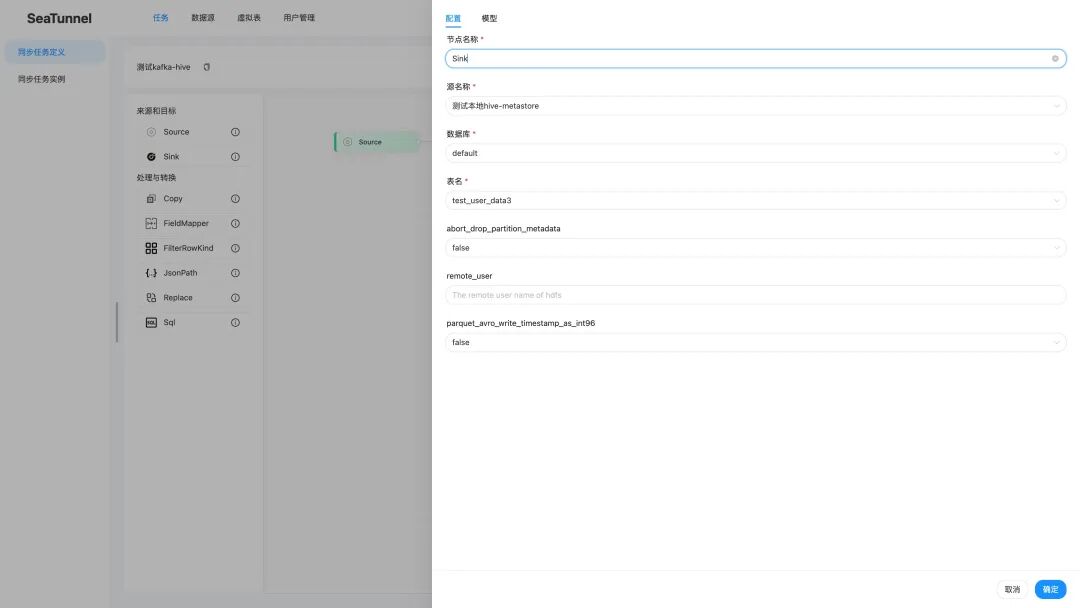
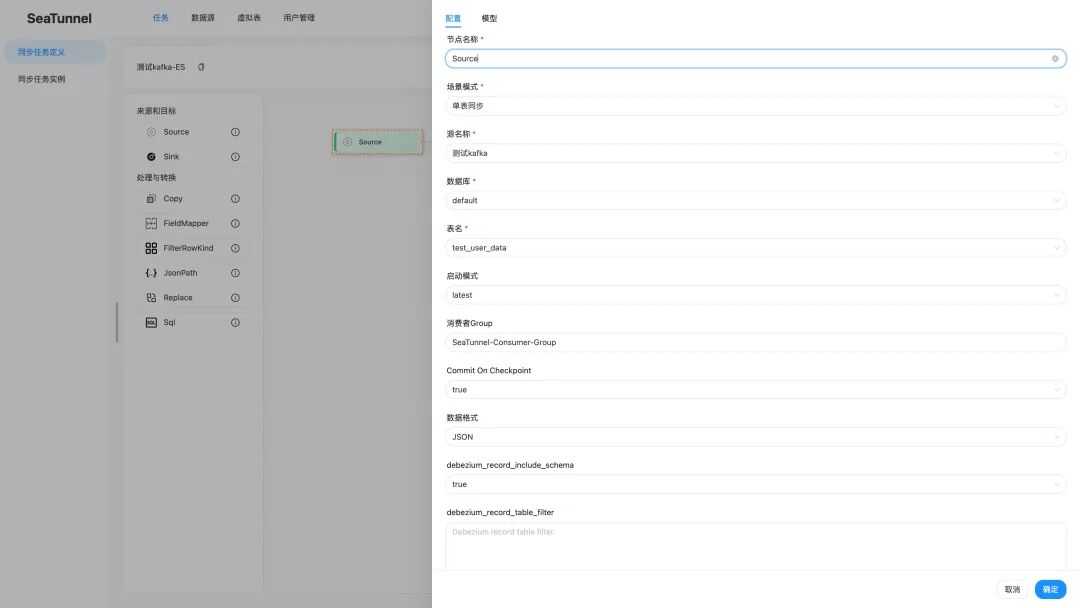
任务组件配置
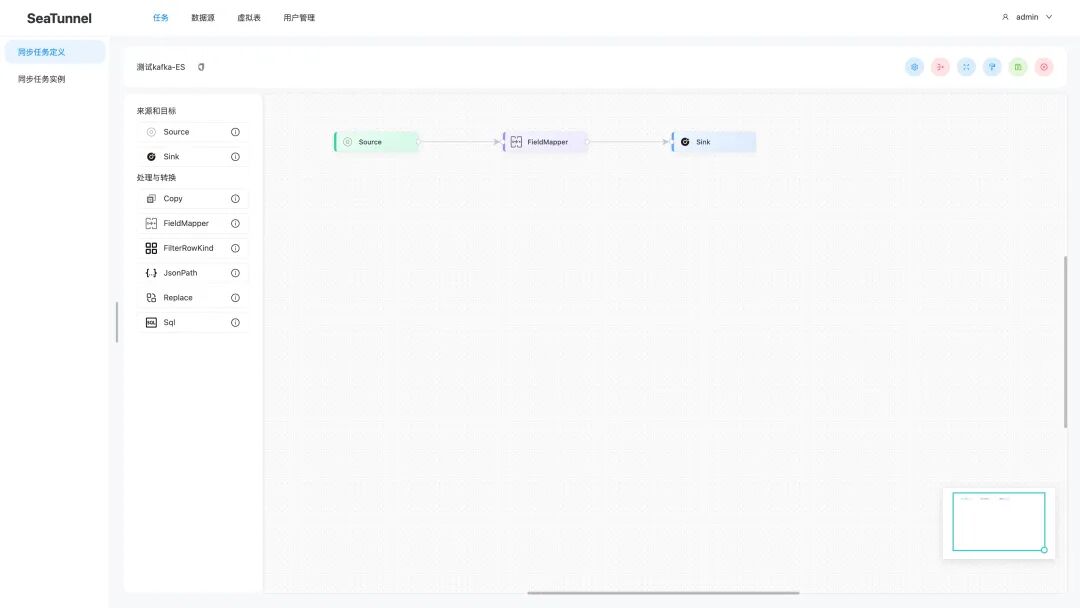
Kafka-Elasticsearch 同步任务
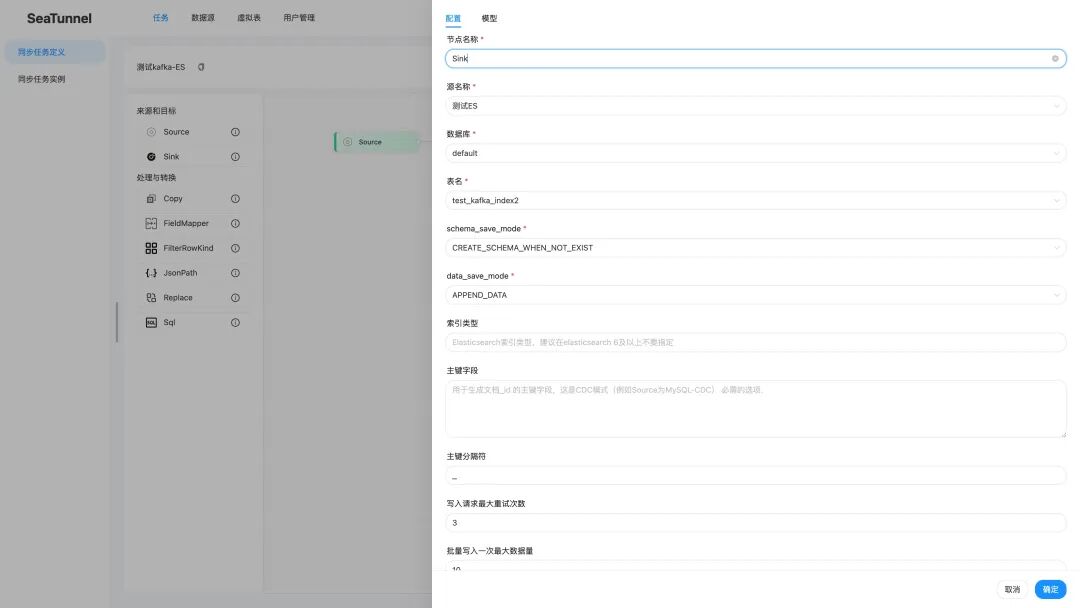
任务组件配置
创建同步任务通用流程
- 拖拽或选择 Source、FieldMapper、Sink 组件构建任务流程
- 双击 Source 组件,配置数据源信息(选择已配置的 Kafka 数据源)
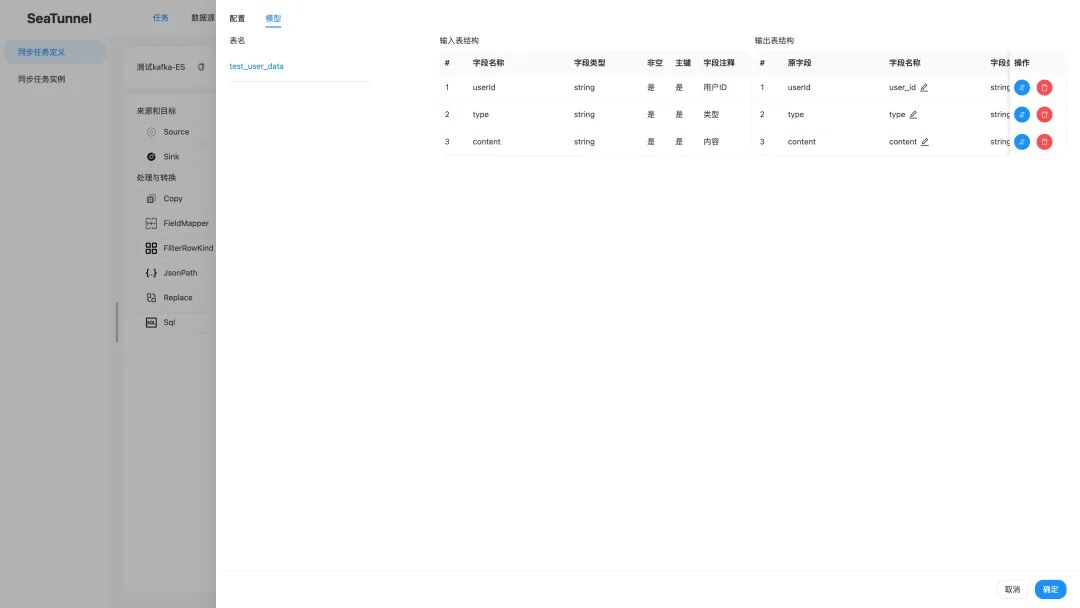
- 双击 FieldMapper 组件,点击「模型」按钮配置字段映射关系
- 双击 Sink 组件,配置目标数据源信息(Hive 或 Elasticsearch)
- 保存并启动任务
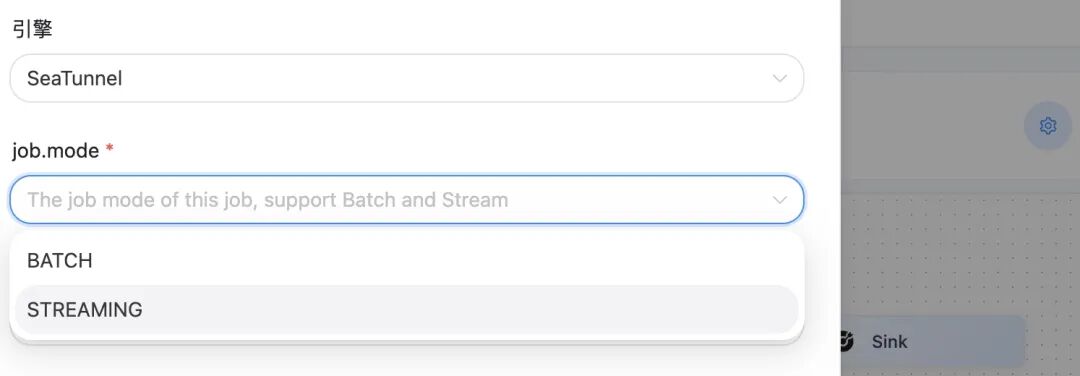
需要配置 job mode ,不然保存不了,报错 job env can't be empty, please change config
创建表
docker exec -it hive-server2 beeline -u jdbc:hive2://localhost:10000 -e "CREATE TABLE IF NOT EXISTS default.test_user_data3 (user_id STRING,type STRING,content STRING)ROW FORMAT DELIMITEDFIELDS TERMINATED BY '\t'STORED AS TEXTFILE;"docker exec -it hive-server2 beeline -u jdbc:hive2://localhost:10000 -e "CREATE TABLE IF NOT EXISTS default.test_user_data3 (user_id STRING,type STRING,content STRING)STORED AS PARQUET;"
查看表结构
docker exec -it hive-server2 beeline -u jdbc:hive2://localhost:10000 -e "
SHOW TABLES IN default;
DESCRIBE default.test_user_data3;
"
查询表数据
docker exec -it hive-server2 beeline -u jdbc:hive2://localhost:10000 -e "
SELECT * FROM default.test_user_data3 LIMIT 10;
"
hive 地址解析异常
seatunnel seatunnel-web ERROR [qtp2135089262-20] [MetaStoreUtils.logAndThrowMetaException():166] - Got exception: java.net.URISyntaxException Illegal character in hostname at index 44: thrift://hive-metastore.seatunnel-docker_seatunnel-network:9083
docker-compose.yml 对应容器加上 ip 绑定
extra_hosts: - "hive-metastore:172.16.0.3" - "hive-metastore-db:172.16.0.2"
Hive 同步报错 error java.lang.NoClassDefFoundError
seatunnel/apache-seatunnel-2.3.11/lib 存放依赖包
hive-exec-3.1.3.jarhive-metastore-3.1.3.jarlibfb303-0.9.3.jar
hive 同步任务显示成功,实际没有数据写入
docker-compose.yml 对应容器加上 hive 写入本地目录的配置
volumes: - ./hive-warehouse:/opt/hive/data/warehouse
查看任务执行日志 will be executed on worker
./logs/master/seatunnel-engine-master.log
Task [TaskGroupLocation{jobId=1080750681855361026, pipelineId=1, taskGroupId=2}] will be executed on worker [[seatunnel-worker2]:5801], slotID [2], resourceProfile [ResourceProfile{cpu=CPU{core=0}, heapMemory=Memory{bytes=0}}], sequence [db6b679c-67cc-43b8-b64a-acaa85c2a4c0], assigned [1080750681855361026]
作者 | 云婷
原文链接:https://www.cnblogs.com/thao/p/19666609
Apache SeaTunnel
Apache SeaTunnel是一个云原生的多模态、高性能海量数据集成工具。北京时间 2023 年 6 月1 日,全球最大的开源软件基金会ApacheSoftware Foundation正式宣布SeaTunnel毕业成为Apache顶级项目。目前,SeaTunnel在GitHub上Star数量已达9k+。SeaTunnel支持在云数据库、本地数据源、SaaS、大模型等170多种数据源之间进行数据实时和批量同步,支持CDC、DDL变更、整库同步等功能,更是可以和大模型打通,让大模型链接企业内部的数据。
https://github.com/apache/seatunnelhttps://seatunnel.apache.org/https://seatunnel.apache.org/download我们相信,在「Community Over Code」(社区大于代码)、「Open and Cooperation」(开放协作)、「Meritocracy」(精英管理)、以及「多样性与共识决策」等 The Apache Way 的指引下,我们将迎来更加多元化和包容的社区生态,共建开源精神带来的技术进步!我们诚邀各位有志于让本土开源立足全球的伙伴加入 SeaTunnel 贡献者大家庭,一起共建开源!https://github.com/apache/seatunnel/issueshttps://github.com/apache/seatunnel/pullsdev-subscribe@seatunnel.apache.orghttps://join.slack.com/t/apacheseatunnel/shared_invite/zt-3uouszk3m-PtLLNyZsJVqE5Gb6gn24mAhttps://x.com/ASFSeaTunnel